<p align="center">
<strong>简体中文</strong> ·
<a href="./README.en.md">English</a>
</p>
<div align="center">
<img src="./assets/dsh-whale.png" width="136" alt="Oh-DSH whale">
<h1>Oh-DSH</h1>
<p><strong>一套 DSH runtime,多种可独立安装的交互方式。</strong></p>
</div>
<p align="center">
<img alt="macOS" src="https://img.shields.io/badge/macOS-12%2B-111111?logo=apple&logoColor=white">
<img alt="Linux" src="https://img.shields.io/badge/Linux-x64-FCC624?logo=linux&logoColor=black">
<img alt="Windows" src="https://img.shields.io/badge/Windows-x64-0078D6?logo=windows&logoColor=white">
<img alt="BSD 3-Clause" src="https://img.shields.io/badge/license-BSD--3--Clause-34a853">
</p>
<p align="center">
<img src="./assets/oh-dsh-desktop-overview.png" alt="Oh-DSH Desktop" width="100%">
</p>
Oh-DSH 把 DeepSeek Harness、Node.js 和本地能力打包成可安装的 Desktop 与 Web 发行版。模型仍运行在云端;Oh-DSH 负责 Workspace、终端、Git Review、浏览器、窗口集成和插件生命周期。
下载与安装
从 GitHub Releases 选择需要的发行形态:
| 发行形态 | 包含内容 | 适合场景 |
|---|---|---|
| 完整版 | Oh-DSH Desktop、Web、Node runtime 和内置插件 | 本地开发工作台 |
| Web-only | Oh-DSH Web、Node runtime 和内置 Web 插件,不含 Electron | 轻量安装、浏览器或远程使用 |
| TUI-only | 规划中 | 纯终端环境 |
完整版按平台提供 DMG/ZIP、AppImage/deb 和 Windows 包。macOS 打开 DMG 后,
将 Oh-DSH Desktop 拖入 Applications;Linux 可直接运行 AppImage,或用
apt 安装 deb。
Web-only 包解压后即可启动:
tar -xzf oh-dsh-web-*.tar.gz
cd oh-dsh-web-*/
./bin/ohdsh web
默认地址是 http://127.0.0.1:3080。Windows 使用:
bin\ohdsh.cmd web
安装统一命令
macOS 完整版可将应用内的启动器加入 PATH:
sudo ln -sf \
  "/Applications/Oh-DSH Desktop.app/Contents/Resources/bin/ohdsh" \
  /usr/local/bin/ohdsh
Web-only 包可直接运行 ./bin/ohdsh,也可以把它加入 PATH。
启动方式
ohdsh desktop   # 启动 Oh-DSH Desktop
ohdsh web       # 启动 Oh-DSH Web
ohdsh tui       # 规划中的 TUI;当前会明确提示尚未提供
使用 ohdsh web --help 查看监听地址、端口、数据目录和可信主机选项。
从源码运行
需要 Node.js、pnpm 和平台构建工具:
git submodule update --init --recursive
pnpm install
pnpm run build:dsh
pnpm run build
pnpm run stage:dsh
export PATH="$PWD/bin:$PATH"

ohdsh desktop
ohdsh web
打包完整版使用对应平台的 dist:mac、dist:linux 或 dist:win;只打包
Web 使用 pnpm run dist:web。
插件市场
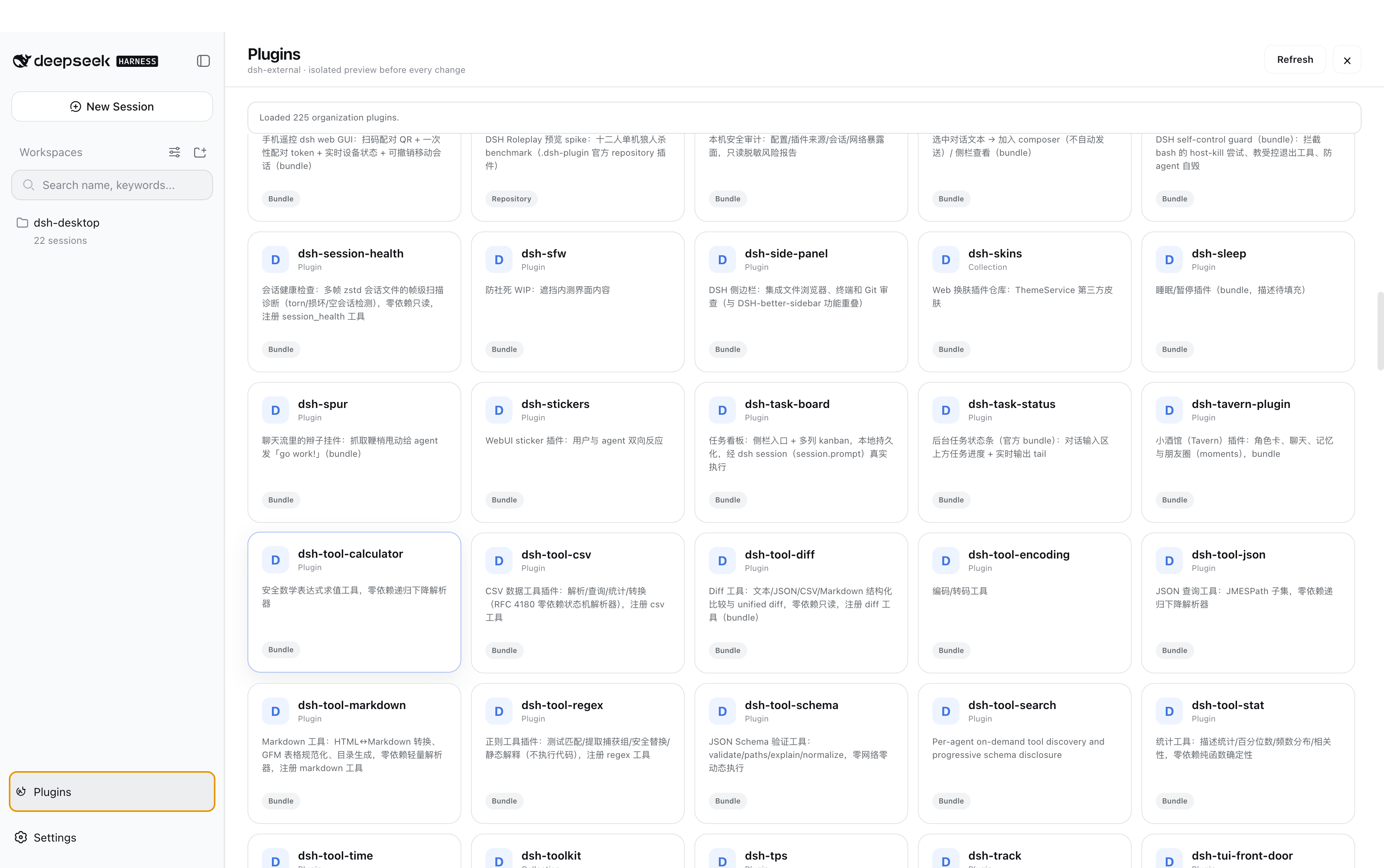
桌面皮肤
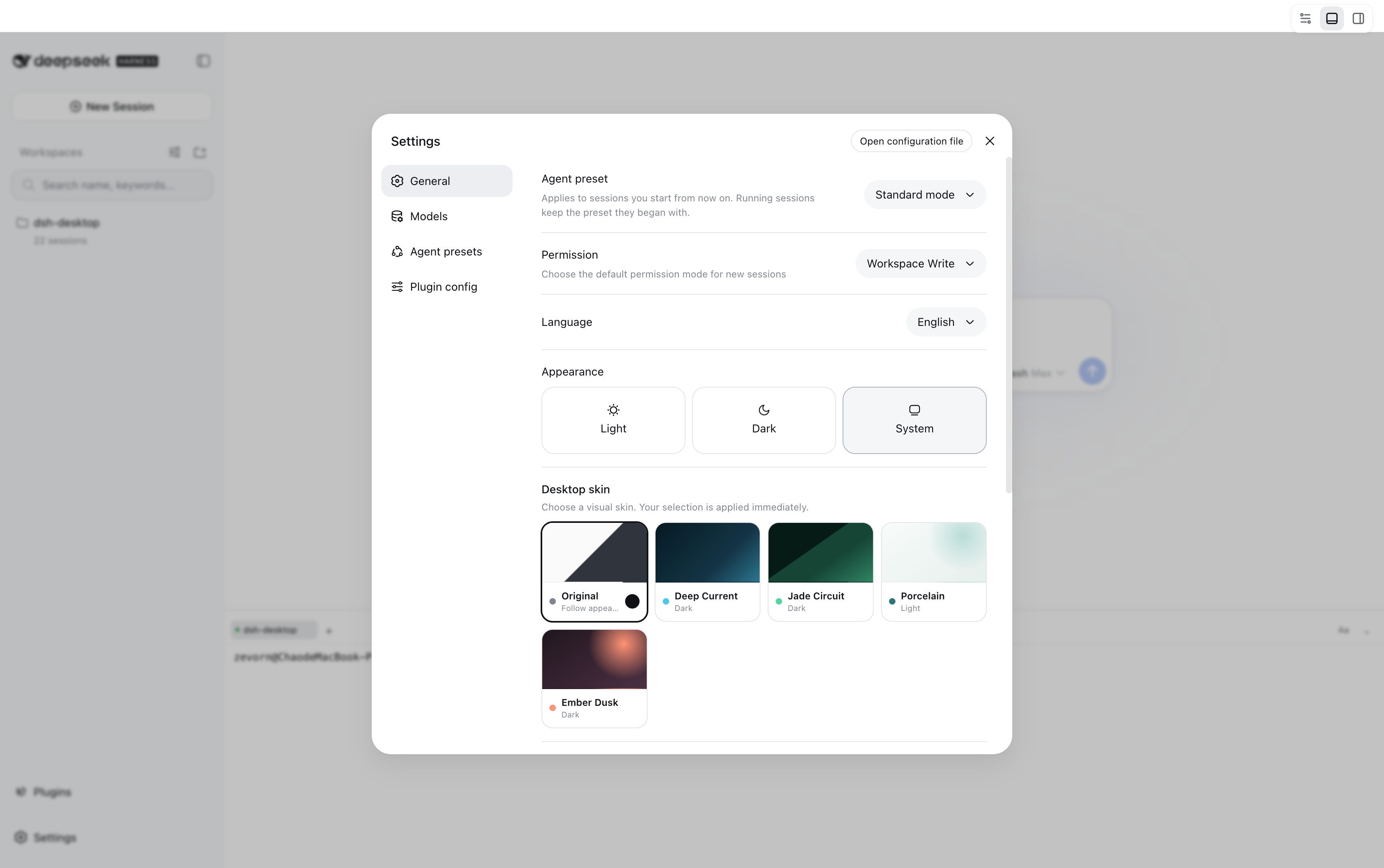
文档
部分内置插件是上游能力的 Oh-DSH 下游适配:功能会定期同步,UI、主题、 运行边界和打包方式由本项目维护。来源与改造范围记录在设计文档中。